
Searching for a Warrant in Humphreys County
Humphreys County has no official public countywide warrant portal in the inspected sheriff or county court pages. The reliable fallback is phone-first: HCSO for custody or service, the Circuit and General Sessions Clerk for county docket routing, and the city court for a local citation. A city case may not appear in county-facing material.
Use the full legal name, date of birth, approximate event date, and citation or case number if known. Ask what identifier the office uses and what it can confirm. The sheriff's booking link can show custody information, not every unserved court process. Before appearing, ask the issuing court or a Tennessee attorney about the next lawful step.
- Call HCSO at 931-296-2301 and ask which office can confirm the matter. The county does not publish a direct warrant line.
- For Circuit or General Sessions records, call the Circuit Court Clerk at 931-296-2461.
- For Waverly, New Johnsonville, or McEwen citations, use that city's published court or police contact.
- Ask for the TPRA policy if you need an existing docket, warrant, or return record.
- Use TBI and PACER only for their stated purposes; neither is a complete public warrant check.
Humphreys County Warrant Search Portal Gap
The HCSO navigation reviewed for this research shows a Booking link, inmate services, agency contacts, and a mobile-app page. It has no link labeled Warrant Search or Active Warrants. The sheriff also publishes no search filters, result columns, update timestamp, or online export for a complete active list. Do not substitute a commercial result for an official answer.
The main HCSO number is the published contact for routing. Extension 160 is identified as the jail control room, not as a warrant line. Call first and ask whether the question belongs with HCSO, the Circuit Clerk, General Sessions, or a city court. The office-specific address and hours should be confirmed before a visit.
Warrant Search Fields Explained
There is no official Humphreys warrant form with countywide search fields. The closest sheriff-branded public-record page shows first- and last-name inputs, but its labels and required fields are not reliably exposed, and it does not claim to be a complete warrant index. The table records what the public material does and does not establish.
| Field Label | Type | Required | Notes |
|---|---|---|---|
| HCSO Booking | Link | Not applicable | Destination was not inspected successfully; booking is not warrant confirmation. |
| Sheriff public-record page | Name inputs | Not reliably stated | Criminal and traffic controls are shown, but warrant coverage is not defined. |
| AOC appellate history | Case number, case style, name, organization | Search fields | Appellate cases only, not Humphreys trial-court warrants. |
| TBI TIES/TCIC | No public controls | Not public | Authorized-agency network, not a self-service lookup. |
| City municipal court | Phone and citation number | Ask clerk | No online city warrant fields located. |
A search result from the county sheriff-branded page should be read within its own scope. Its warning says the page may not be complete or current, and it does not define which courts or process types are covered. An empty response therefore answers only what that interface returned at that time.
Humphreys County Booking Is Not a Warrant Search
The sheriff's Booking link points toward custody information. It cannot show every unserved warrant, city citation, sealed matter, or court-held capias. A person may have a court process without a current booking entry. Likewise, an old booking result does not prove that the case is now closed or that a process was recalled.
The separate sheriff-branded public-records page carries a broad accuracy caution. It says records may be incomplete, not current, or not fully digitized, and arrests may be sealed, overturned, or expunged. Its own limits should travel with any reference to it. The image below shows the public-records page, not an official warrant result.
See the sheriff-branded public-records page and read its notice before using the interface.
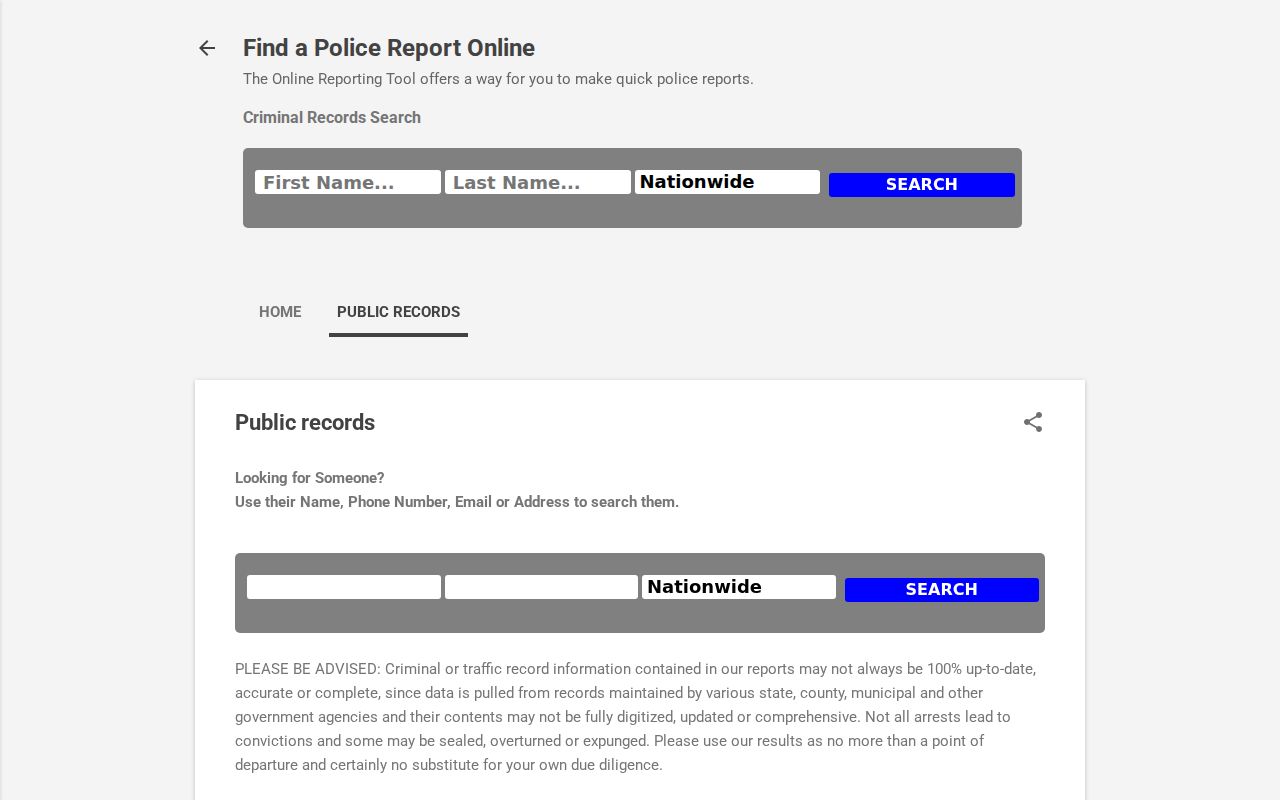
For current status, ask the responsible court and sheriff rather than treating that page as a full index.
Booking status is a separate question from whether a judge issued process. The sheriff's booking destination was not available for verification during research, so do not enter personal details into an unverified third-party result and do not use the jail control-room extension as a warrant-confirmation number.
What a Warrant Search Shows
No sample Humphreys warrant result was exposed, and no local number format or status-code dictionary was found. When an office can discuss an existing public file, ask for the process identifier, court, issue date, type, charge or reason, bond terms, service or return entry, and current status. A citation number may be more useful than a warrant number for traffic matters.
| Process number | No local Humphreys format was published. |
|---|---|
| Charge or reason | May identify the offense, citation, or missed court duty. |
| Issuing court | Names the court that controls the file and any recall. |
| Bond terms | Case-specific; no county bond schedule was found. |
| Status | Ask whether the process is active, served, returned, or recalled. |
For a county case, the Circuit and General Sessions Clerk can route a question by case number and court. A city clerk may identify a citation by ticket number and date. The research located no common Humphreys warrant-number format, so avoid guessing at punctuation, prefixes, or status codes from another county's sample.
Humphreys County Warrant Records by Request
If a phone call does not answer the question, ask the relevant agency or clerk for its Public Records Request Coordinator and policy. Name the court, process type, date range, and case or citation number when known. Request inspection first if a copy is not essential, and ask for the fee estimate before ordering it.
The Tennessee Public Records Act allows access to existing public records, subject to exceptions. It does not make an office create a countywide database or certify that no warrant exists. Sealed, juvenile, active-investigation, and protected information may be withheld. The Comptroller's TPRA FAQ explains the state process.
Where to Check Warrants in Humphreys County
HCSO is the contact for possible custody or county service. The Circuit and General Sessions Clerk at 100 North Court Square routes county criminal, misdemeanor, traffic, and felony file questions. The Clerk & Master handles Chancery, child-support, and contempt records. Waverly, New Johnsonville, and McEwen keep distinct municipal channels.
Tennessee has no single public statewide warrant search in the official sources reviewed. TBI's TIES and TCIC connect authorized agencies. For another court level, ask the clerk or sheriff which agency owns the record. A negative result in one office does not establish that another court has no process.
The Circuit and General Sessions Clerk is at Room 106, 100 North Court Square, and the Clerk and Master is at Room 202 in the same building. General Sessions court is listed at Room 1 of the Rawlings Building, 102 Thompson Street. Confirm the correct counter with the clerk before visiting; these offices maintain different files.
Humphreys County TBI Warrant Search Limits
TBI explains the Tennessee Information Enforcement System and the Wanted Person file as criminal-justice resources. Public users do not receive a login for a self-check. The statewide Most Wanted page follows its own eligibility rules; it does not reveal whether a separate Humphreys court file exists.
For a federal matter, PACER searches federal dockets but does not certify that a warrant remains active. Sealed filings and recent activity may not display. Use the court named in the record and confirm status with the clerk or counsel.
Humphreys County AOC Search Covers Appeals Only
The Tennessee appellate case-history tool can identify appellate filings by name or case information, but it does not search a Humphreys trial-court warrant docket. An appeal, reversal, or appellate opinion is not a live service-status screen. Use it only when the matter actually reached an appellate court, then ask the issuing trial court about any current process.
Use appellate search only for an appealed matter. For a citation, missed date, or arrest process, contact the trial court that maintains the file.
Restricted Warrants and Access Rules
Public access depends on the record and the law that applies to it. Tennessee's Public Records Act and Supreme Court Rule 34 allow access to many existing records, but juvenile records, sealed filings, active-investigation material, and protected personal information may be unavailable or redacted. A clerk may confirm a docket entry without releasing an affidavit.
Key Rules:
Ask which statute, rule, or court order limits a sealed or investigative record.
Juvenile files are generally confidential under Tennessee law and are not a public roster.
No online result is not proof that no warrant exists; confirm with the issuing office.